Laser Cutter
Laser Cutter
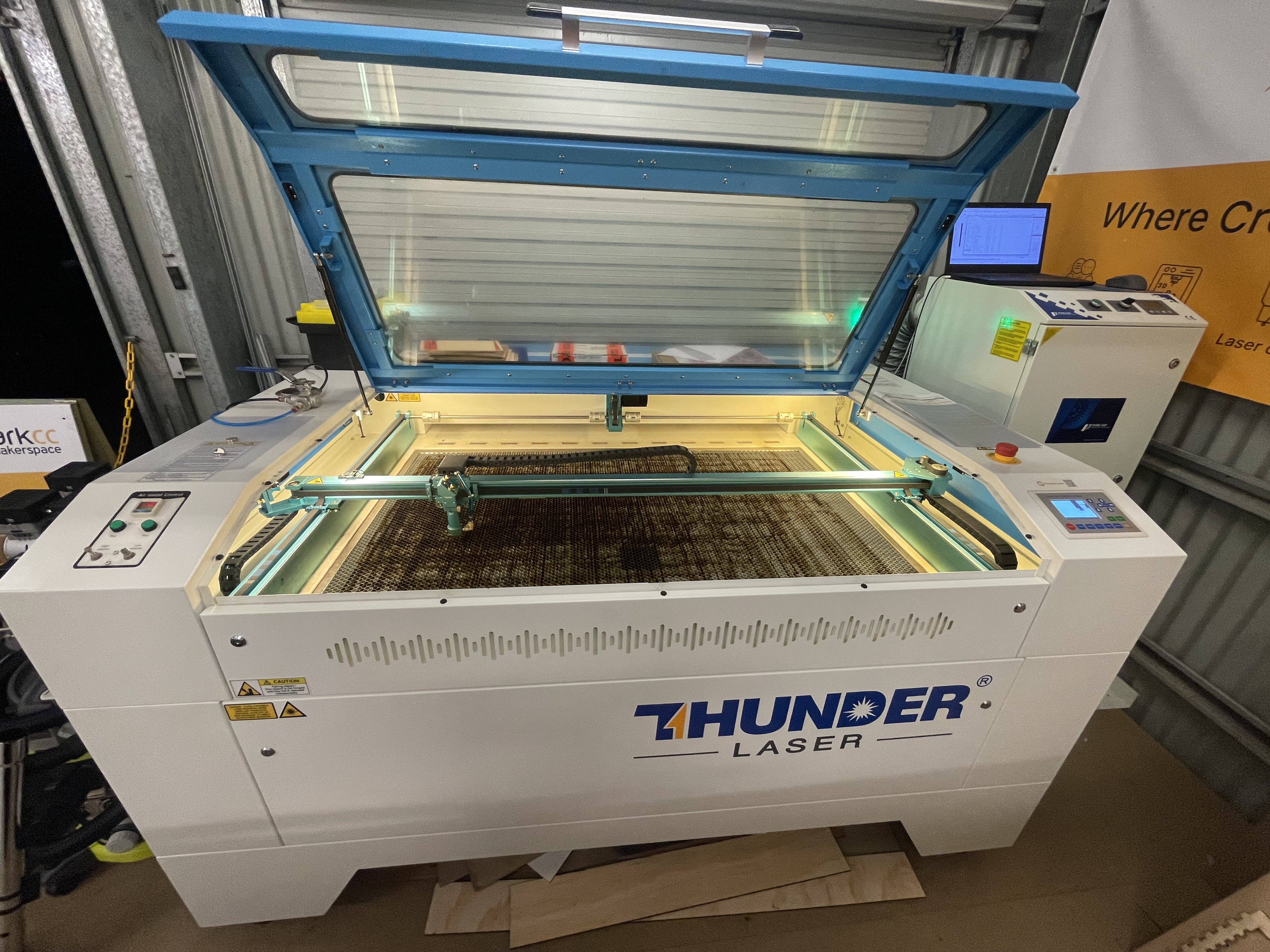
Equipment Details
| Manufacturer | ThunderLaser.com |
| Model | Nova 51 |
| Acquired | January 2025 |
| Area capacity | 1300x900 |
| Cutter software | LightBurn |
Induction
This piece of equipment requires an induction before use.
Safety
Before using this equipment, read and follow all applicable SparkCC safety policies and approved operating procedures.
Safety Requirements
-
Confirm the location of a nearby fire extinguisher.
-
Check the surroundings for any tangled wires or trip hazards.
-
Check the door to ensure nothing is pinched in the seal.
-
Confirm the cooler is switched on.
-
The Laser can be switched off, with the Main switched on if you need to test patterns.
Operating Instructions
Using the Equipment
-
Start the machine (power on both Main and Laser switch)
-
Cut design in LightBurn
-
Insert material and stage
-
Focus the laser
-
Confirm the origin
-
Configure suggested material settings for toolhead.
-
Frame the job.
-
Confirm your safety and surroundings.
-
Start the job.
-
10.When finished, turn everything (main and laser) off except the cooler. (The cooler receives power from the "main" switch, so it's switch gets left on)
Learning & Resources
-
Official Manual: [Link]
-
Tutorials: [Link]
-
Software / Downloads: [Link]
-
Additional Resources: [Link]
Troubleshooting
| Problem | Suggested Action |
|---|---|
| [Common issue] | [Approved solution] |
| [Common issue] | [Approved solution] |
If equipment is unsafe or faulty, stop using it and report the issue.
Maintenance
Routine Maintenance
-
[Cleaning requirements]
-
[Routine checks]
-
[Other approved maintenance tasks]
Maintenance Responsibility
[Who is responsible for servicing and maintaining this equipment.]
Only authorised members should perform maintenance that requires specialist knowledge or presents additional hazards.
Page Information
| Page Maintainer | [Name or team] |
| Last Reviewed | [Date] |
| Next Review | [Date, if applicable] |
Approved safety procedures and manufacturer instructions take precedence where applicable.